
HomeBlock Spam Texts
How to block spam texts on Android
Stop unwanted texts in a few taps, and keep promotions and unknown senders out of the way of the messages you care about.
Last updated:
Yes. Open a conversation, choose Block and confirm. Manage your list under Blocked Numbers. Messages must be your default SMS app for blocking to work.
Block a number
- Make sure Messages - SMS Texting is your default SMS app. Blocking needs this, and tapping Block offers to set it for you.
- Open the conversation with the sender and open its details.
- Choose Block and confirm.
You can also add a number yourself from Blocked Numbers in the More (three-dot) menu, and unblock a number there at any time.
Keep spam out of the way without blocking
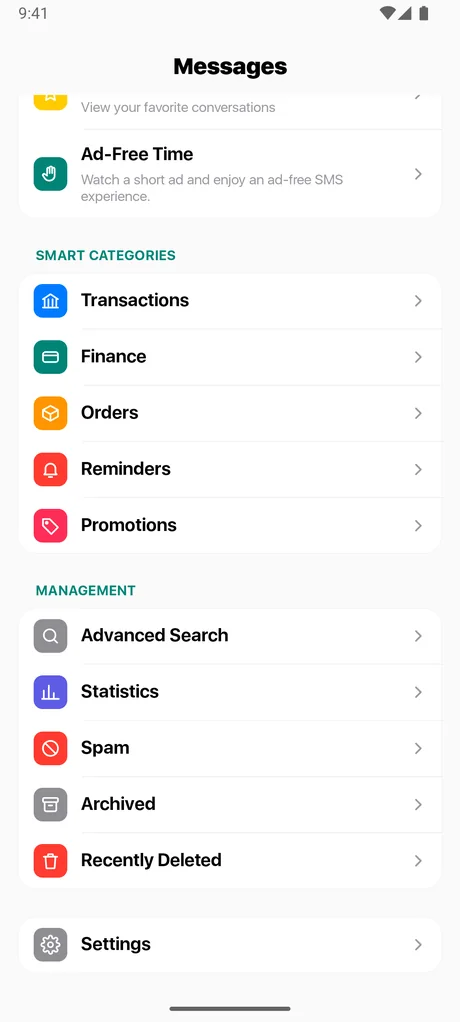
- Spam view collects messages that look like spam.
- Unknown Senders separates texts from numbers that are not in your contacts.
- Promotions groups marketing texts so they do not bury personal messages.
See smart message filters for how the categories work.
Tips against spam texts
- Do not tap links in texts from numbers you do not recognise.
- Never share one-time codes or passwords by text, even if the sender says they are from your bank.
- Replying, even with STOP, can confirm to a scammer that your number is active. Block instead when you are unsure.
- Report spam to your carrier if it offers a reporting number.
Menu names can differ slightly between app versions and Android versions.
Frequently asked questions
Can I block numbers in Messages - SMS Texting?
Yes. Open a conversation, choose Block and confirm. Manage your list under Blocked Numbers. Messages must be your default SMS app for blocking to work.
Will blocked numbers still reach me?
No. A blocked number can no longer message you. You can unblock it at any time from Blocked Numbers.
Where do spam texts go?
Messages that look like spam appear in the Spam view, and texts from numbers not in your contacts appear under Unknown Senders.
Related
Get Messages - SMS Texting on Android
Free to download. Set it as your default SMS app and take control of your inbox in a minute.