
HomeExport Texts to PDF
Export text messages to PDF or TXT
Keep a record of an important conversation, or print one, by exporting it as a tidy PDF or plain text file.
Last updated:
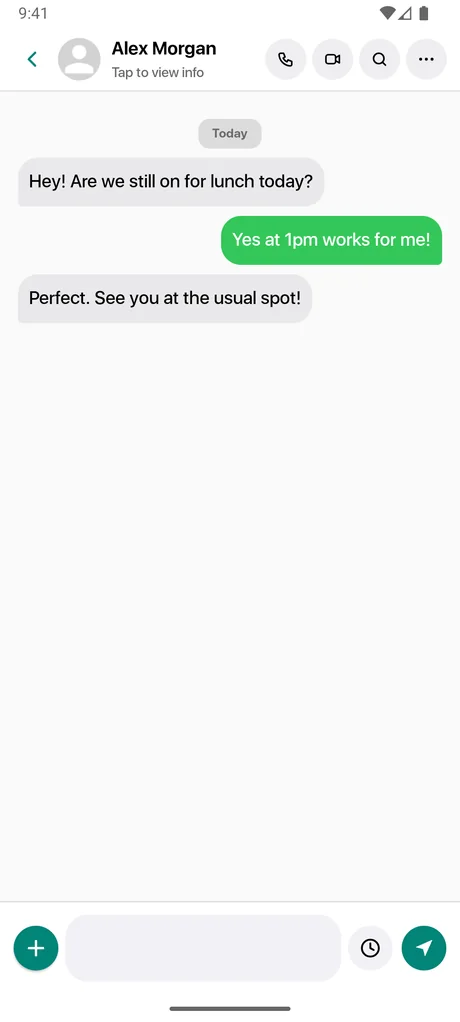
Yes. Open the conversation, choose Export Conversation and pick PDF. The PDF includes day headings, chat-style bubbles and page numbers.
How to export a conversation
- Open the conversation you want to save.
- Open the conversation menu and choose Export Conversation.
- Choose Export as TXT or PDF.
- Save the file or share it.
Menu names can differ slightly between app versions and Android versions.
PDF or TXT?
- PDF is formatted with day headings, chat-style bubbles and page numbers. Good for printing, legal or work records, and sharing.
- TXT is plain text. Good for archiving, searching or opening in any app.
Why export?
- Keep evidence of agreements, receipts or harassment
- Save a memorable conversation before changing phones
- Share a thread with a lawyer, bank or support team
Exports happen on your device. Messages are not uploaded to a server. For backups of deleted chats, see recover deleted texts.
Frequently asked questions
Can I export a text conversation as a PDF?
Yes. Open the conversation, choose Export Conversation and pick PDF. The PDF includes day headings, chat-style bubbles and page numbers.
Can I export as plain text?
Yes. Choose TXT when exporting to get a plain text file.
Are my exported messages uploaded anywhere?
No. The export is created on your device and you decide where to save or share it.
Related
Get Messages - SMS Texting on Android
Free to download. Set it as your default SMS app and take control of your inbox in a minute.