
HomeChat Lock
Lock and hide private chats with Chat Lock
Keep sensitive conversations away from prying eyes with a PIN, biometrics and a recovery option.
Last updated:
What Chat Lock does
- Locked conversations show a lock icon in your list, with their message preview hidden.
- Locked chats are left out of search results until you unlock them.
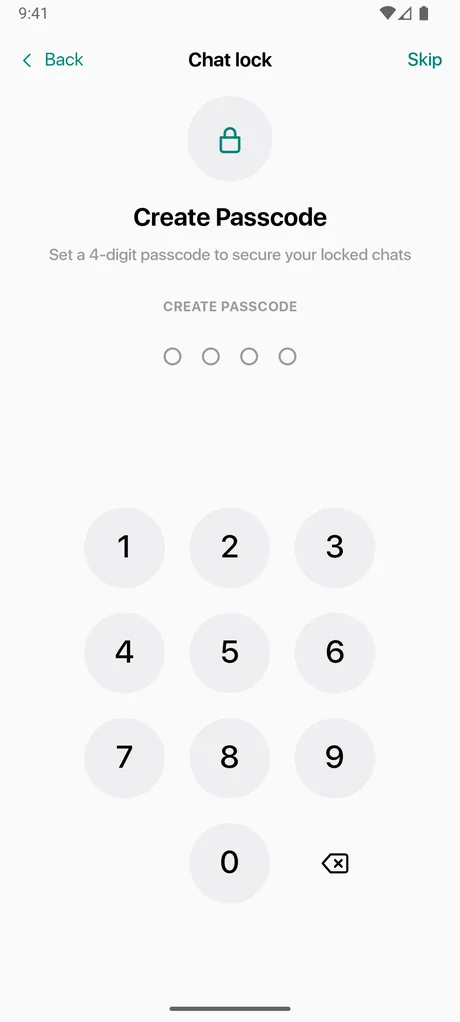
- Opening one requires your 4-digit PIN.
- Chats stay locked even after you restart the app.
Unlock options
Set a PIN, and on devices that support it also enable fingerprint or face unlock for faster access. If both are on, whichever you use first unlocks the app, and your passcode always works as a backup. You can remove the passcode later from the lock settings.
Forgot your PIN?
Choose security questions when you set up the lock. If you forget your PIN, answering them verifies your identity. Set a PIN first, because the questions act as its backup.
App lock
Settings also includes an option to lock the app when it is closed.
Questions about chat lock
How does Chat Lock work?
You can lock individual conversations. A locked chat shows a lock icon with its message preview hidden, and needs your 4-digit PIN to open. You can also enable fingerprint or face unlock on devices that support it, and set security questions as a backup if you forget your PIN. See Chat Lock.
Where are my messages stored?
Your messages stay on your device. Messages - SMS Texting does not upload your conversations to a server. Read the full Privacy Policy for details, including the limited analytics, crash reporting and advertising services the app uses.
What permissions does the app ask for and why?
SMS permissions to send, receive and read messages; Contacts to show names and pick recipients; Notifications to alert you to new messages; Camera and photo access to send pictures; Location only when you choose to share it; Microphone only for voice search; Phone to place a call from a conversation; and Biometrics for fingerprint or face unlock. The Privacy Policy explains each one.
Related
Get Messages - SMS Texting on Android
Free to download. Set it as your default SMS app and take control of your inbox in a minute.