
HomeHide Text Messages
How to hide text messages on Android
Keep private conversations out of sight without deleting them. Here are the options in Messages - SMS Texting.
Last updated:
In Messages - SMS Texting, use Chat Lock to lock a conversation with a PIN, fingerprint or face unlock. Locked chats hide their preview and are left out of search until unlocked.
Option 1: Chat Lock (best for private chats)
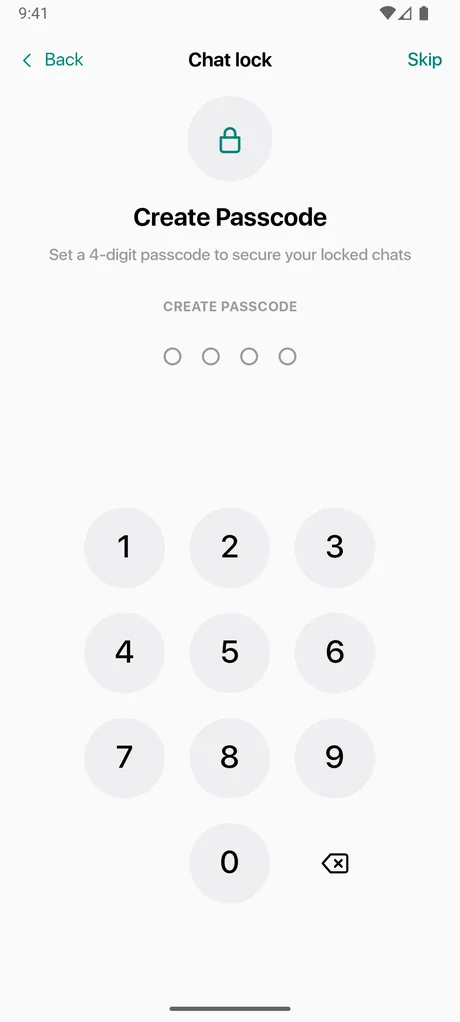
Locked conversations show a lock icon with their message preview hidden, and need your 4-digit PIN to open. You can also use fingerprint or face unlock on supported devices. Locked chats are left out of search results until you unlock them, and they stay locked after you restart the app. Set security questions as a backup in case you forget your PIN. See Chat Lock.
Option 2: App Lock
In Settings, turn on App Lock to lock the whole app when it is closed. This hides every conversation from anyone who picks up your phone.
Option 3: Archive
Archive a conversation to move it out of your main list without deleting it. Open Archived to see it again. Archiving does not lock a chat, so it is best for tidying, not privacy.
Hide notification previews
New-message notifications can show text on your lock screen. In Android settings, open Notifications and change the lock screen option to hide sensitive content. You can also mute notifications for one conversation.
Things to know
- Hiding is not deleting. Messages stay on your device. To remove them, see Recently Deleted.
- Chat Lock protects against casual snooping. Do not rely on it as the only protection for highly sensitive information.
- Keep your PIN private, and do not use an obvious number.
Menu names can differ slightly between app versions and Android versions.
Frequently asked questions
How do I hide text messages on Android?
In Messages - SMS Texting, use Chat Lock to lock a conversation with a PIN, fingerprint or face unlock. Locked chats hide their preview and are left out of search until unlocked.
Does hiding a chat delete it?
No. Locked and archived conversations stay on your device. Deleted conversations move to Recently Deleted for 40 days.
Can I hide lock-screen notification text?
Yes. Change the lock screen notification setting in Android to hide sensitive content, or mute that conversation.
Related
Get Messages - SMS Texting on Android
Free to download. Set it as your default SMS app and take control of your inbox in a minute.